If you manage a Google Business Profile — whether for a local restaurant, a dental practice, or a regional retail chain — you have almost certainly experienced the frustration of crafting a post only to see it cut off in search results. That truncation is not a glitch. It is a deliberate design decision by Google, and understanding it is the difference between a GBP post that drives clicks and one that gets ignored.
Google Business Profile (formerly Google My Business) allows businesses to publish posts that appear directly on Google Search and Google Maps. These posts can announce a new product, promote a limited-time offer, highlight an upcoming event, or simply share news about your business. Because they appear without a user ever visiting your website, they are among the most valuable — and most underused — pieces of local SEO real estate available.
The catch is that Google imposes character limits on every component of every post type: the body text, the title, the description, and even the business description itself. More critically, Google truncates most post bodies at around 250 to 300 characters in search results, requiring users to click “Read more” to see the rest. That means the opening lines of your post carry outsized weight.
This guide covers everything you need to know: the exact character limits for every GBP post type, how Google displays and truncates content across desktop and mobile, actionable writing strategies for each format, common mistakes that waste your character budget, and the best tools for managing it all at scale.
GBP Post Character Limits: The Master Reference Table
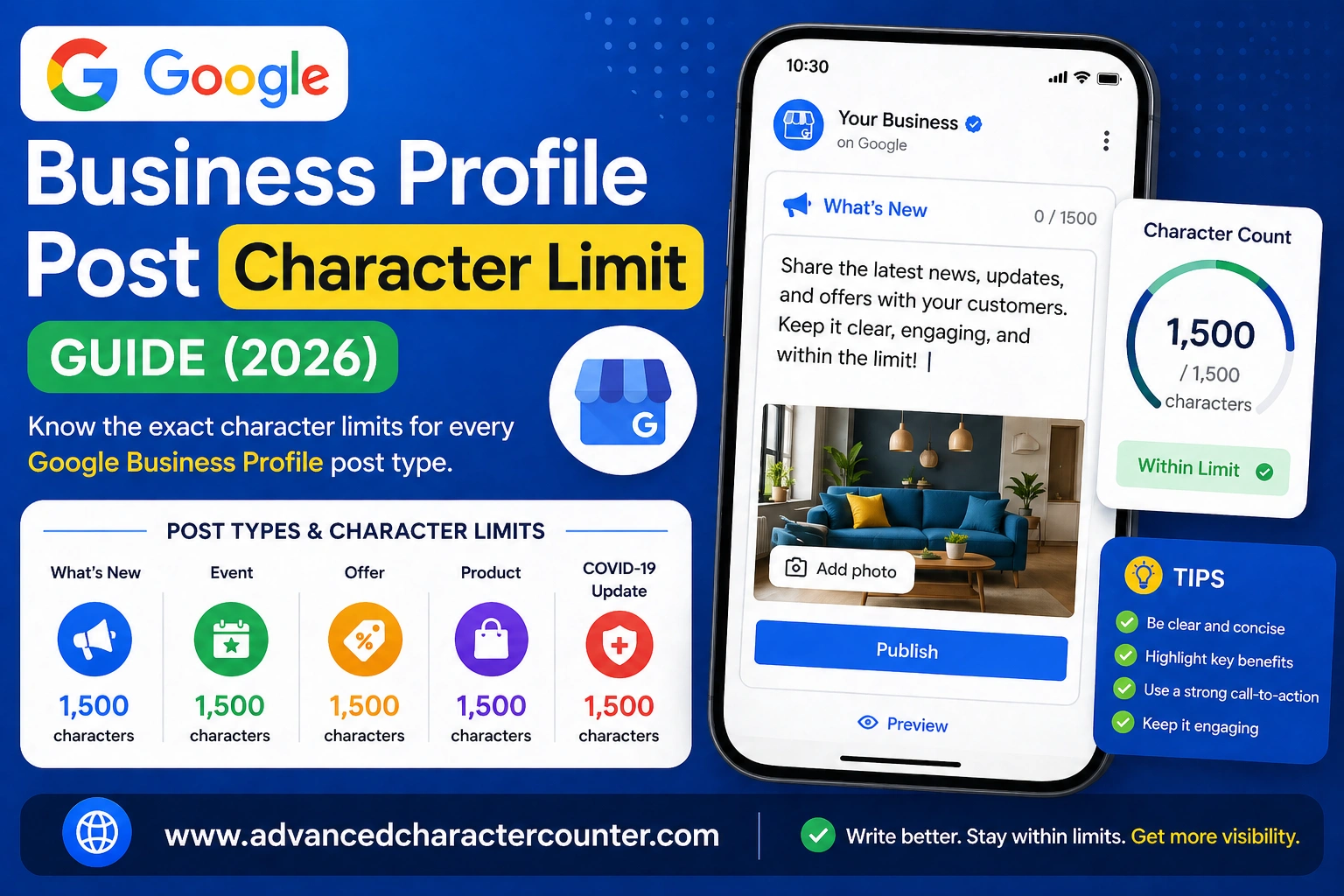
Before getting into strategies, it helps to have all the limits in one place. Here is a complete reference of every character limit that applies to Google Business Profile posts and listing fields, current as of 2024.
| Post / Field Type | Component | Character Limit | Truncated At (approx.) |
|---|---|---|---|
| Update (What’s New) Post | Body text | 1,500 | ~250–300 chars |
| Offer Post | Title | 58 | Fully shown |
| Offer Post | Description | 1,500 | ~250–300 chars |
| Event Post | Title | 58 | Fully shown |
| Event Post | Description | 1,500 | ~250–300 chars |
| Product Post | Product Name | 58 | Fully shown |
| Product Post | Description | 1,000 | ~250–300 chars |
| Business Description | Description field | 750 | ~250 chars (Search) |
| Business Name | Name field | 75 | Fully shown |
| Business Category | Category label | ~50 | Fully shown |
A few things stand out in this table. First, the 58-character limit on titles for offers, events, and product names is tight — roughly the length of a short sentence. Second, while the body text limit is 1,500 characters, the practical writing target is really 250 characters for content you want every visitor to see without clicking. Third, the business description field, at 750 characters, is more generous than most businesses realise — and most businesses leave it woefully underfilled.
How Google Truncates GBP Posts — and What Viewers Actually See
Understanding truncation is arguably more important than knowing the maximum character count. You can write up to 1,500 characters in an update post, but if the most important information is in character 600, most of your audience will never read it.
Desktop vs Mobile Truncation
On desktop Google Search, GBP post bodies are truncated at approximately 250 to 300 characters, after which a “Read more” link appears. On mobile, the truncation happens slightly earlier — closer to 200 to 250 characters — because the panel is narrower. The exact cut-off varies depending on line breaks, punctuation, and the rendering algorithm, so treating 250 characters as your hard target for critical content is a safe working rule.
Google Maps Panel Truncation
When a user finds your business on Google Maps, posts appear in a scrollable carousel within your business panel. The Maps preview is even more compressed than the Search view, showing as few as 100 to 150 characters before truncating. If you are writing posts specifically to reach Maps users — for example, targeting people already near your location — leading with a single, punchy sentence of under 120 characters is good practice.
Search Results Snippet vs Full Post View
When a user clicks “Read more” on a GBP post, they are taken to an expanded view within the Knowledge Panel. Here, the full text of your post is rendered without truncation. This means longer posts are not wasted — they just require an extra click. The question every post should answer is: does the truncated preview create enough curiosity or convey enough value to earn that click?
Why the First Sentence Is Your Most Valuable Real Estate
Given the truncation behaviour across every surface, the opening 150 to 250 characters of any GBP post body should be treated as a standalone ad. It must communicate the core value proposition, contain any relevant keywords, and end in a way that naturally invites the user to read more. Think of it less as the introduction to a longer piece and more as a self-contained headline that happens to have a body text attached.
Update Posts: Writing Within the 1,500-Character Limit
The “What’s New” update post is the most flexible GBP post type. It has no title field — just a body text box and an optional call-to-action button. The 1,500-character body limit is generous, but as discussed above, the practical ceiling for your opening is around 250 characters. Here is how to make every character count.
How to Create an Update Post in GBP
Log into your Google Business Profile Manager at business.google.com. From the dashboard, select “Add update” and choose “What’s New.” You will see a text field for your post body, an optional image upload, and a call-to-action button selector. Posts expire after seven days unless they are marked as offers or events, which have their own duration settings.
Front-Loading Your Key Message
The single most impactful thing you can do is restructure your posts so the most important information comes first. Consider the difference between these two opening lines for a bakery post:
Weak opening: “We are so excited to share with you that after months of preparation, our team has been working hard to bring something new to our menu that we know you are going to love — introducing our new sourdough range.”
Strong opening: “New: Freshly baked sourdough loaves, now available every Friday from 8am. Limited quantities — order online to reserve yours.”
The strong version delivers the key facts (what, when, how) inside the first 150 characters. The weak version buries them past the truncation point. The user reading only the preview of the weak post learns nothing actionable; the user reading the strong post preview has enough information to take action immediately.
Using Line Breaks and Spacing Effectively
GBP post bodies support basic line breaks (created by pressing Enter), which can improve readability without consuming many characters. Short paragraphs of two to three sentences scan better than dense blocks of text. However, be aware that line breaks count as characters in Google’s limit, so excessive spacing is a small but real cost.
Call-to-Action Placement
GBP update posts allow you to add a CTA button: “Book,” “Order online,” “Buy,” “Learn more,” “Sign up,” or “Call now.” These buttons appear below your post and do not count toward the character limit. Because of this, you do not need to include a URL or repeated instruction inside the post body itself. Mentioning the CTA once in the text is fine, but you can save characters by letting the button carry the action.
Optimised Update Post Template (with character counts)
[Core message in one punchy sentence — target 120–150 chars] [Supporting detail — 1 to 2 sentences, target 100–150 chars] [Optional secondary detail or proof point — 80–100 chars] [One soft closing CTA if needed — 40–60 chars]
Total: approximately 350–460 characters. This keeps the full post short enough to read in seconds while ensuring the critical message appears above the truncation line.
Offer and Event Posts: Maximising the 58-Character Title Limit
Offer and event posts differ from update posts in one critical respect: they include a dedicated title field with a strict 58-character limit. This title appears more prominently in search results and is often the first text a user reads. Writing a great offer or event title under 58 characters is a skill worth developing.
The 58-Character Offer and Event Title Limit Explained
58 characters equates to roughly eight to ten short words. That is enough for a clear, specific claim — but only if you resist the urge to front-load it with your business name (which already appears in the Knowledge Panel) or generic language like “Exciting news” or “Check this out.”
To count characters while writing, use any free online character counter or simply compose in a tool like Google Docs and check the word count. The goal is always to fill the title with specific, high-value information rather than filler.
Strategies for Writing Punchy, Keyword-Rich Titles
- Lead with the benefit, not the label. “30% Off All Services This Weekend” beats “Weekend Promotion.”
- Include a number wherever possible. Specificity increases click-through rate.
- Use active verbs. “Save,” “Get,” “Join,” “Claim” are more compelling than passive constructions.
- Avoid your business name in the title. It is redundant — the panel already shows it.
- Test seasonal language. “Summer Sale,” “Back to School,” and similar phrases perform well because they create urgency.
Offer Post Best Practices
Beyond the title, offer posts include a description (up to 1,500 characters), an optional coupon code, terms and conditions, and a start/end date. The description follows the same truncation rules as update posts, so front-load the most compelling details. For coupon codes, keep them short and memorable — codes like “SAVE20” or “SUMMER10” are easy to transcribe. Terms and conditions can be brief; something like “Valid in-store only. One use per customer.” is entirely sufficient.
Event Post Best Practices
Event posts display the date and time prominently, which does part of your writing work for you. The title should focus on the event’s purpose or appeal rather than restating “Event on [date].” For example, “Free Business Growth Workshop — Grab Your Spot” is far more compelling than “Workshop Event November 2024.” The description field can then cover location, agenda, speaker names, registration links, and other details. Because events have a set duration and Google displays the countdown, urgency is built-in — your writing job is to communicate value.
Product Posts and Business Description: Character Limits Compared
Product Post Limits: Name (58 chars) vs Description (1,000 chars)
Product posts are designed to showcase individual items in your catalogue. The product name field has the same 58-character ceiling as offer and event titles. Within that limit, you need to convey what the product is and, where possible, what makes it distinctive. “Handmade Soy Candles — 40hr Burn” is better than just “Soy Candles” because it includes a specific differentiator that makes the product memorable.
The product description, at 1,000 characters, gives you more room than you might expect. Use it to cover materials, sizing, use cases, care instructions, or whatever your customer needs to know before buying. Unlike update posts, product posts do not expire — they remain on your profile until you remove or edit them — so investing more time in a well-crafted product description pays off over a longer period.
How Product Posts Display in Search
Products from GBP appear in a dedicated “Products” section within the Knowledge Panel, as well as in Google Shopping results for businesses in eligible categories. The product name is the headline; the image draws the eye first; the description appears below after a click. This means the product name is the element with the greatest reach — write it to work as a standalone label rather than relying on the description to explain what the product is.
The Business Description: 750 Characters, Often Wasted
The business description field sits under “Edit profile” in your GBP dashboard and accepts up to 750 characters. In Google Search, approximately 250 characters are shown before a “More” link. On Google Maps, the full text appears in the business panel. This field is not a post — it does not expire and is not updated frequently — but it is one of the most consistently visible pieces of text on your entire profile.
Most businesses either leave this field empty or fill it with generic language like “We are a family-owned business dedicated to great service.” A well-written business description uses natural language to work in primary and secondary keywords, describes the core services, mentions any geographic areas served, and ends with a value proposition or differentiator. At 750 characters, you have room to say something meaningful — most businesses use fewer than 200.
Keyword Placement in Business Description
Google has stated that the business description does not directly influence ranking. However, it does influence how users perceive your business after they find you, and there is anecdotal evidence that keyword-rich descriptions contribute to relevance signals in some search contexts. Best practice is to write for the human reader first — using your core category terms, service names, and location naturally — rather than keyword-stuffing in ways that read awkwardly.
Common Mistakes That Waste GBP Character Limits
Knowing the limits is only half the battle. The other half is avoiding the mistakes that cause businesses to burn through characters on things that do not convert.
- Burying the lead. Putting your most important information past the 250-character truncation point is the most common — and most costly — mistake. If a user cannot understand the value of your post from the preview alone, they will scroll past without clicking.
- Using ALL CAPS or excessive punctuation. Google’s posting policies prohibit the use of all-caps text (unless it is an abbreviation), excessive punctuation, and other formatting intended to game visibility. Posts that violate these guidelines may be removed, and repeated violations can affect your profile’s standing.
- Repeating your business name in the body text. Your business name is already displayed prominently in the Knowledge Panel. Starting a post with “At [Business Name], we believe…” wastes 20 to 40 characters before communicating a single useful thing.
- Writing only for the 1,500-character limit. Some businesses treat the character limit as a target rather than a ceiling, padding posts to feel complete. Length does not correlate with performance on GBP. Shorter, tighter posts that make a single clear point often outperform longer ones.
- Ignoring the CTA button. GBP provides dedicated CTA buttons for a reason: they are more visible and clickable than in-text links. Businesses that skip the button and instead write “Click the link below” or paste a raw URL into the post body are wasting character budget and providing a worse user experience.
- Leaving the business description near-empty. A 750-character field filled with 80 characters of generic text is a missed opportunity. This field is evergreen, visible across Search and Maps, and costs nothing to update. It should be treated with the same care as any other permanent page copy on your website.
- Not updating posts regularly. What’s New posts expire after seven days. Businesses that post once and forget have a profile that looks stale to both Google’s algorithms and prospective customers. A monthly posting cadence is the minimum; weekly is better for high-activity businesses.
Tools and Templates for Managing GBP Post Character Counts
Free Character Counter Tools
For quick one-off checks, any browser-based character counter works well. Simply paste your draft text and the tool shows you exactly how many characters you have used. Useful options include charactercounttool.com, wordcounter.net, and the built-in character count display in Google Docs (under Tools > Word Count). All three are free and require no account.
A useful technique when drafting is to write your full post first, without worrying about length, then use a character counter to identify where your 250-character mark falls. If the most important information is below that mark, restructure — not trim — the post.
Google Business Profile Manager
The native GBP post editor at business.google.com shows a live character count as you type. It also gives a preview of how your post will look on Search and Maps before you publish. For individual posts, this native tool is entirely sufficient. The character counter in the title field turns red when you exceed the limit, giving instant feedback.
Third-Party Scheduling Tools
For businesses managing multiple locations or posting at volume, third-party tools offer more powerful workflows. The leading options include:
- Semrush Local — provides GBP post scheduling with character count validation and performance tracking.
- BrightLocal — widely used by local SEO agencies, includes bulk post scheduling and reputation management.
- Hootsuite — supports GBP post scheduling alongside other social channels, with a content calendar view.
- Publer and SocialBee — smaller tools that support GBP posting with character previews.
Most of these tools show a preview of how your post will appear truncated, which is a significant advantage over the native editor’s full-text preview.
Ready-to-Use Post Templates
Update Post Template:
- [Specific hook sentence with the core announcement — 120 chars max]
- [Supporting detail 1 — 80 chars]
- [Suporting detail 2 — 80 chars]
- [Soft CTA if the button does not cover it — 50 chars]
Offer Post Title Template:
- [Discount or benefit] + [product/service] + [time anchor or qualifier] — target 50–55 chars
- Event Post Title Template:
- [Action verb] + [event name or topic] + [hook] — target 50–55 chars
Business Description Template:
- [Primary service category and location — 80 chars] [Key services with natural keywords — 200 chars] [Differentiator or unique value proposition — 150 chars] [Any relevant certifications, years in business, or awards — 100 chars] [Closing geographic or service call-out — 80 chars]
- Total target: 600–700 of the 750 available characters.
Conclusion: Write Smarter Within Every GBP Character Limit
To summarise the essentials: GBP update, offer, and event post bodies allow up to 1,500 characters; offer, event, and product titles are capped at 58 characters; product descriptions allow 1,000 characters; and the business description field allows 750 characters — all of them truncated at around 250 characters in most search views.
The most important mindset shift is to stop optimising for the maximum limit and start optimising for the truncation point. Your first 250 characters are read by everyone. Everything beyond that is read only by people who are already interested enough to click. Write your posts so the preview is a complete, compelling message on its own, and use the remaining character budget to add supporting detail for the readers who want it.
If you are looking for next steps, consider auditing your current business description first — it is the highest-leverage, lowest-effort improvement most profiles can make. From there, build a simple monthly posting schedule using the templates in Section 8, and choose one third-party tool to help you preview and schedule posts at the appropriate character count for each surface.
A well-managed GBP profile — with consistent, well-crafted posts written with character limits in mind — is one of the most cost-effective local SEO actions available to any business that competes for visibility in Google Search and Maps.
Frequently Asked Questions (FAQs)
Does Google penalise posts that use the full 1,500 characters?
No. There is no evidence that post length alone affects visibility or ranking. Google’s algorithm prioritises relevance, recency, and engagement signals rather than length. A 1,500-character post and a 300-character post are treated equally in terms of eligibility to appear. The practical concern is user experience: longer posts require more effort from the reader and may result in lower engagement if the content is padded rather than substantive.
Do emojis count towards the character limit?
Yes. Emojis are counted as characters in GBP posts, and many emoji count as two characters due to their Unicode encoding. While emojis can add visual interest and break up text, they should be used sparingly and strategically. One or two emojis in a post body are unlikely to cause issues; using emojis as a formatting substitute for actual structure will eat into your character budget without adding information value.
Can I use HTML or markdown formatting in GBP posts?
No. Google Business Profile does not render HTML or markdown. Tags like , , or bold will appear as literal text rather than formatting. The only formatting available is plain text with line breaks created by the Enter key. Some businesses use emoji or uppercase letters for visual emphasis, but as noted above, excessive capitalisation violates GBP posting policies.
How often do GBP character limits change?
Google adjusts its GBP limits and features periodically, and changes are not always announced through official channels. The limits documented in this guide reflect current specifications as of 2024. The best way to stay current is to check Google’s official Business Profile Help Centre (support.google.com/business) or follow authoritative local SEO publications such as Search Engine Land, BrightLocal’s blog, or Sterling Sky’s research updates.
Is there a minimum character requirement for GBP posts?
Google does not publish a minimum character requirement, but very short posts — for example, a single line with fewer than 50 characters — may be less likely to display in all contexts or may look sparse in the panel. A practical minimum for a well-presented update post is around 150 to 200 characters, which is enough to make a clear statement and cover the most important details.
Do image captions have character limits on GBP?
Photo descriptions (captions) in the GBP photo section accept up to 1,500 characters, the same as post body text. However, these captions are not prominently displayed in search results — they appear primarily when a user clicks directly into the photo. As a result, they have lower priority than post body text or business description content, but they are still worth filling in for businesses in visually-driven categories such as restaurants, salons, and retail.