
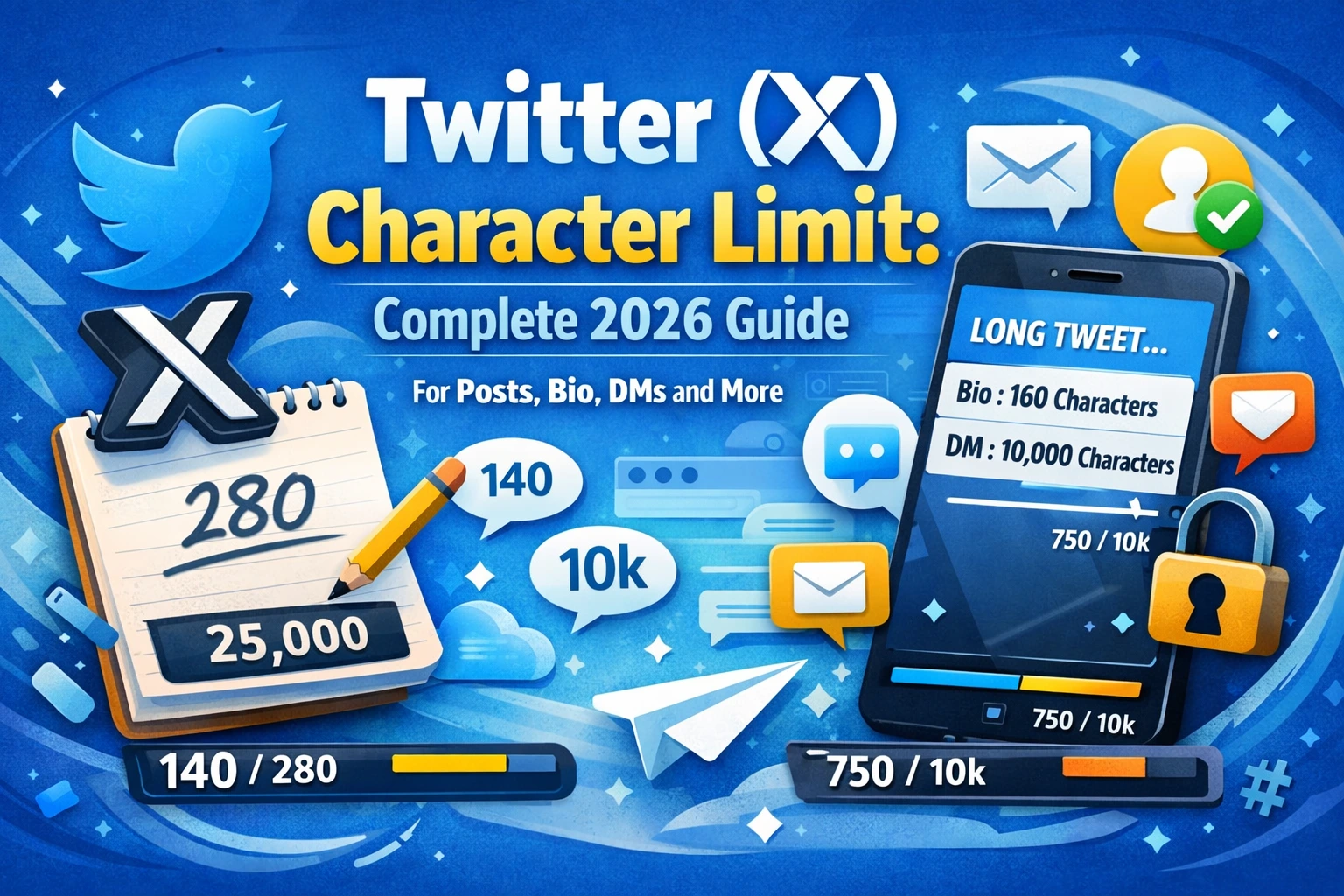
Twitter, now officially rebranded as X, has always been defined by brevity. Since its launch in 2006, the platform built its identity around a tight character limit that challenged users to communicate ideas with precision, creativity, and impact. While the platform has evolved significantly under its new ownership and branding, character limits remain one of its most defining and discussed features.
Whether you are a casual user sharing daily thoughts, a journalist breaking news, a brand managing its social media presence, or a marketer running paid campaigns on X, understanding the Twitter (X) character limit for every field on the platform is essential. Getting your message cut off, having a bio that does not save, or watching an ad get rejected because of a character overrun can derail your communication strategy and waste valuable time.
This complete 2026 guide covers the character limit for every major field on X, including posts (formerly tweets), bios, direct messages, usernames, display names, alt text, polls, and advertising. You will also find practical writing tips, a comprehensive quick reference table, and answers to the most common questions about character limits on X.
A Brief History of the Twitter (X) Character Limit
Understanding where the Twitter character limit came from adds important context to why it exists and how it has evolved. When Twitter launched in 2006, it was conceived as a microblogging service designed to work alongside SMS text messaging. At the time, SMS messages were limited to 160 characters per message. Twitter reserved 20 characters for the username, leaving 140 characters for the actual message content.
That 140-character limit became the defining feature of the platform for over a decade. It forced users to edit ruthlessly, think creatively, and communicate with maximum efficiency. The constraint became a cultural phenomenon, inspiring writing competitions, linguistic innovation, and an entirely new vocabulary of abbreviations and shorthand.
In November 2017, Twitter doubled the character limit to 280 characters for most languages, citing data showing that users in languages like English frequently hit the 140-character ceiling, while users in character-dense languages like Japanese and Chinese rarely did. The expansion to 280 characters gave English-language users more flexibility while preserving the platform’s core identity as a short-form communication tool.
After Elon Musk’s acquisition of Twitter and its rebranding to X in 2023, the platform introduced additional character limit expansions for paying subscribers through X Premium, formerly Twitter Blue. These changes marked a significant departure from the platform’s original philosophy but reflected a broader strategy to monetize the platform and attract content creators seeking more expressive freedom.
Twitter (X) Post Character Limit
The standard Twitter (X) post character limit is 280 characters for free accounts. This applies to all standard posts, which were previously called tweets, on the platform. The 280-character limit covers the entire post content, including spaces, punctuation, emojis, and hashtags. However, URLs are treated differently, as discussed below.
How URLs Are Counted
One of the most important nuances of the Twitter (X) character limit is how URLs are handled. Regardless of the actual length of a URL you share, X automatically wraps all links through its own t.co URL shortener. Every URL, no matter how short or long the original link is, counts as exactly 23 characters toward your post’s character limit. This means that sharing a link consumes 23 of your 280 available characters, leaving you 257 characters for your actual written content.
How Emojis Are Counted
Emojis count as two characters each on X. This is an important consideration when writing posts that include multiple emojis, as they can consume your character allowance more quickly than standard letters. For example, a post with five emojis effectively uses 10 characters of your 280-character limit just for the emojis alone.
How Mentions and Hashtags Are Counted
Both @mentions and #hashtags count toward your character limit on X. Each character in a mention, including the @ symbol and the full username, counts toward your total. Similarly, each character in a hashtag, including the # symbol, is included in the character count. This means that mentioning a user with a long username or including multiple hashtags can noticeably reduce the space available for your main message.
Replies and Quote Posts
When you reply to another post on X, the @mention of the person you are replying to does not count toward your 280-character limit. This allows you to write full replies without losing character space to the mandatory mention. However, if you add additional @mentions in your reply, those extra mentions do count toward the limit. Quote posts, where you repost someone else’s content and add your own comment, give you the full 280-character allowance for your added comment.
Thread Posts
X allows users to create threads by posting a series of connected posts in sequence. Each individual post in a thread has its own 280-character limit. Threads are a powerful format for sharing long-form ideas, stories, tutorials, and arguments while staying within the single-post character constraint. Many creators and journalists use threads to present information that would otherwise require a much longer single post.
Twitter (X) Bio Character Limit
The Twitter (X) bio character limit is 160 characters. Your bio appears on your public profile page, directly below your display name and username. It is one of the first pieces of text a visitor reads when they land on your profile, making it one of the most valuable pieces of real estate on the platform.
With just 160 characters to work with, your bio must be concise, informative, and compelling. It should communicate who you are, what you do, and why someone should follow you, all in a single, well-crafted statement or a short series of descriptive phrases.
What to Include in Your X Bio
- Your professional role, niche, or area of expertise.
- A key achievement, credential, or unique identifier that builds credibility.
- Your personality or tone, whether professional, humorous, or conversational.
- A call to action or a hint about the type of content you share.
- Relevant emojis to add personality and save space, keeping in mind that each emoji counts as two characters.
Bio Optimization Tips
Avoid generic phrases like “passionate about” or “lover of” that take up characters without adding meaningful information. Instead, use specific, descriptive language that differentiates you. If you have a link in your bio section, note that the dedicated website field is separate from the bio character count, so you do not need to use your 160 characters on a URL.
Twitter (X) Display Name Character Limit
The Twitter (X) display name character limit is 50 characters. Your display name, also sometimes called your profile name, is the name shown in bold at the top of your profile and alongside your posts in the feed. Unlike your username (handle), your display name can include spaces, most special characters, and emojis.
Your display name does not need to be unique across the platform, which means two different accounts can have the same display name. However, your username must be unique. Many users and brands use their display name to include additional context, such as a tagline, emoji flags indicating their country, or topic keywords related to their content.
Display Name Best Practices
- Keep it recognizable and consistent with your brand or personal identity across other platforms.
- Consider adding one or two relevant emojis to make your display name more visually distinctive in the feed.
- Avoid excessive capitalization, symbols, or repetitive characters, which can appear spammy and reduce trust.
- If you are a verified business or public figure, maintain a professional name that matches your official brand identity.
Twitter (X) Username Character Limit
The Twitter (X) username character limit is between 4 and 15 characters. Your username, also known as your handle and identified by the @ symbol, is your unique identifier on the platform. It appears in your profile URL, in mentions from other users, and alongside every post you publish.
Username Rules on X
- Must be between 4 and 15 characters long.
- Can only contain letters (A to Z), numbers (0 to 9), and underscores.
- Cannot contain spaces or special characters such as @, #, $, or *.
- Usernames are not case-sensitive, meaning @JohnDoe and @johndoe point to the same account.
- Each username must be unique across the entire X platform.
Choosing the right username is an important strategic decision, particularly for brands and creators. A short, memorable username is easier for users to remember, mention, and search for. If your preferred username is already taken, consider adding a relevant word, number, or underscore to create a close alternative.
Twitter (X) Direct Message Character Limit
The Twitter (X) Direct Message character limit is 10,000 characters per message. This is a substantial increase from the original DM limit and reflects X’s push to become a more comprehensive communication platform rather than just a public broadcast tool.
The 10,000-character limit for DMs makes X Messenger a viable tool for detailed private conversations, customer support exchanges, business negotiations, and lengthy written communication. In practice, most DM conversations remain conversational and brief, but the high limit removes any practical constraint on the length of private messages.
DMs and Media
In addition to text, X Direct Messages support photos, videos, GIFs, and links. Media attachments do not count toward the text character limit. Each DM can include one piece of media alongside the text content, making DMs a versatile format for both personal and professional communication.
Twitter (X) Poll Character Limit
X allows users to create polls within their posts, making them a popular format for gathering audience opinions, driving engagement, and sparking conversations. Polls on X have their own specific character limits that apply separately from the post character limit.
Poll Question
The poll question itself is written within the main post body and therefore falls under the standard 280-character post limit for free accounts. The poll question and any additional text you include in the post share the same character allowance.
Poll Answer Options
Each poll can include between 2 and 4 answer choices. Each answer option is limited to 25 characters. This tight limit requires you to craft short, clear, and unambiguous answer options that respondents can quickly understand and select. Abbreviations and concise phrasing are your best tools within the 25-character answer limit.
Poll Duration
Polls on X can run for a minimum of 5 minutes and a maximum of 7 days. The duration setting does not have a character limit, as it is selected from a time picker rather than entered as text. Poll results are visible to all users after the poll closes, and the creator can see ongoing results throughout the voting period.
Twitter (X) Alt Text Character Limit
Alt text, short for alternative text, is a written description attached to an image that makes visual content accessible to users who are blind or visually impaired and rely on screen readers. X allows users to add alt text to images they upload, and it is a best practice for accessibility and inclusive content creation.
The Twitter (X) alt text character limit is 1,000 characters. This generous limit gives you ample space to write a thorough and descriptive caption that accurately conveys the content and context of the image. Unlike many other fields on X, the alt text is not visible to the general audience viewing the post. It is consumed by assistive technologies and used by search engine crawlers to understand image content.
How to Add Alt Text on X
When uploading an image to a post on X, you will see an option to add a description. Tap or click this option before posting to enter your alt text. Providing meaningful alt text for every image you share is both an ethical responsibility and a mark of professional content creation. It ensures that all users, regardless of ability, can fully engage with your content.
Twitter (X) Ad Character Limits
X Ads, formerly Twitter Ads, have their own set of strictly enforced character limits that vary depending on the ad format you choose. Exceeding these limits will prevent your ad from being submitted or published through the X Ads Manager. Understanding these limits is critical for anyone running paid campaigns on the platform.
Promoted Posts
Promoted posts, which are standard posts amplified to reach a larger audience beyond your existing followers, follow the same 280-character limit that applies to organic posts. All the same rules about URLs counting as 23 characters and emojis counting as two characters apply to promoted posts as well.
X Ad Headline
The headline field in X ad formats that support a separate headline, such as Website Cards and App Cards, has a character limit of 70 characters. The headline is a bold, prominent piece of text that appears alongside the ad creative and is often the first written element that draws the viewer’s attention.
Website Card Description
The website card description, which appears below the headline in link preview cards, has a character limit of 200 characters. This field gives you additional space to elaborate on your headline, describe the destination content, or include a secondary call to action.
App Card Description
App cards, used to promote mobile app downloads, have a description limit of 200 characters as well. Use this space to communicate the core benefit of your app and a clear reason to download it.
Summary of X Ad Character Limits
| Twitter (X) Field | Character Limit |
| Promoted Post | 280 characters |
| Ad Headline (Website / App Card) | 70 characters |
| Website Card Description | 200 characters |
| App Card Description | 200 characters |
| Conversation Card CTA Button | 20 characters |
| Conversation Card Hashtag Prompt | 100 characters |
Twitter Blue (X Premium) and Extended Character Limits
One of the most significant changes to the Twitter (X) character limit landscape in recent years has been the introduction of extended limits for X Premium subscribers, formerly known as Twitter Blue. This paid subscription tier fundamentally changes what paying users can do on the platform in terms of content length.
X Premium Post Character Limit
X Premium subscribers can publish posts of up to 25,000 characters. This is a dramatic expansion from the 280-character standard limit and essentially transforms X into a long-form blogging platform for those willing to pay for the subscription. Long posts from X Premium users are displayed with a preview in the feed, and other users can tap to expand and read the full text.
X Premium Article Feature
In addition to the extended post limit, X Premium subscribers also have access to the Articles feature, which allows them to publish fully formatted long-form content directly on the X platform. Articles support formatting elements such as headers, bold and italic text, and embedded media, making them comparable to a simple blog post. The character limit for X Articles is substantially higher than even the extended post limit, functioning more like a full publishing tool than a social media post field.
Is X Premium Worth It for Character Limits Alone?
Whether the extended character limits justify the cost of X Premium depends entirely on your content strategy. For most casual users, 280 characters is more than sufficient for daily posts. For journalists, authors, educators, and thought leaders who regularly share long-form ideas and arguments, the extended limit and article feature can add genuine value to their platform presence.
Quick Reference Table: All Twitter (X) Character Limits (2026)
| Twitter (X) Field | Character Limit |
| Post (Free Account) | 280 characters |
| Post (X Premium) | 25,000 characters |
| Bio | 160 characters |
| Display Name | 50 characters |
| Username (Handle) | 4 to 15 characters |
| Direct Message | 10,000 characters |
| Poll Answer Option | 25 characters |
| Alt Text (Image Description) | 1,000 characters |
| Promoted Post (Ad) | 280 characters |
| Ad Headline (Card) | 70 characters |
| Ad Card Description | 200 characters |
| URL (counted as) | 23 characters |
| Emoji (counted as) | 2 characters each |
Tips for Writing Effectively Within Character Limits
1. Lead With Your Core Message
On X, the most important part of your post is the first line. Whether users are scrolling quickly through their feed or reading a thread, the opening words determine whether they stop and engage or keep scrolling. Put your most compelling idea, your sharpest observation, or your clearest call to action at the very beginning of your post.
2. Cut Every Unnecessary Word
The 280-character limit is a ruthless editor. Words like “just,” “very,” “really,” “that,” and “in order to” are almost always cuttable. Read every post before publishing and ask yourself whether each word is earning its place. If it is not adding meaning, remove it.
3. Use Threads for Long-Form Content
If your idea cannot be fully expressed in 280 characters, a thread is your best tool. Plan your thread before you start writing by outlining the key points you want to make. Write each post in the thread as a self-contained but connected unit, and number the posts if you want to make the sequence clear to readers.
4. Shorten URLs Before Posting
While X automatically counts all URLs as 23 characters, using a branded short link through a tool like Bitly adds professionalism to your posts and makes links more recognizable and trustworthy to your audience. Branded short links also provide tracking data that can inform your content strategy.
5. Be Strategic With Hashtags
Each hashtag, including the # symbol and the word that follows, counts toward your 280 characters. Use one or two highly relevant hashtags rather than filling your post with a long list. Irrelevant or excessive hashtags can look spammy and may actually reduce your post’s organic reach on X.
6. Write Your Bio Like a Pitch
Your 160-character bio is essentially an elevator pitch for your X presence. Treat every character as valuable. Avoid filler phrases, use active language, and make sure a first-time profile visitor immediately understands who you are and why they should follow you.
7. Test Ad Copy Lengths
For X advertisers, test different copy lengths within the allowed limits to find out what resonates best with your target audience. Sometimes a shorter, punchier headline outperforms a longer one that fills the character limit. Always let data guide your copy decisions rather than assumptions.
Why the Twitter (X) Character Limit Still Matters
In an era where long-form content, video essays, and extended social media posts are increasingly common, one might wonder whether the Twitter (X) character limit is still relevant. The answer is a clear and emphatic yes, and for several compelling reasons.
Brevity Drives Engagement
Decades of social media research consistently show that shorter, more focused content drives higher engagement rates on X compared to long, meandering posts. Users on X are accustomed to fast-paced, high-volume content consumption. A tight, well-crafted post stands out in a crowded feed far more effectively than a wall of text that requires significant effort to read.
The Constraint Fuels Creativity
The character limit forces writers to be precise. The discipline of cutting a 500-word idea down to its most essential 280-character expression is a genuine creative skill. Many of the most memorable, widely shared posts on X are memorable precisely because their brevity gives them punch, clarity, and impact.
Character Limits Define Platform Identity
Even with the introduction of X Premium’s extended post limits, the 280-character post remains the cultural and functional foundation of the platform. The vast majority of users operate within this limit every day. Understanding it, mastering it, and using it strategically is a fundamental skill for anyone who wants to communicate effectively on X.
Business and Brand Implications
For businesses and marketers, the character limit directly affects messaging strategy. Every customer service reply, promotional post, thought leadership post, and community engagement comment must be crafted with the character limit in mind. Brands that master concise communication on X tend to have more consistent and recognizable voices than those that treat every post as an afterthought.
Final Words
The Twitter (X) character limit is more than a technical constraint. It is a philosophy of communication built into the architecture of one of the world’s most influential social media platforms. From the original 140-character limit born from SMS restrictions to the current 280-character standard and the expanded 25,000-character option for X Premium subscribers, character limits have shaped the way billions of people express themselves online.
Whether you are a new user learning the basics, a brand refining its social media strategy, or a marketer optimizing paid campaigns on X, understanding the character limits for every field on the platform gives you a genuine strategic advantage. You can write stronger posts, craft more compelling bios, run more effective ads, and engage more meaningfully with your audience when you know exactly how much space you have to work with.
Use the quick reference table in this guide as your go-to resource for all X character limits, apply the writing tips to sharpen your content, and remember that on X, as in all great writing, the best message is not the longest one. It is the one that says exactly what needs to be said in exactly the right number of characters.
Frequently Asked Questions (FAQs)
Q1. What is the current Twitter (X) character limit for posts?
The current character limit for standard posts on Twitter (X) is 280 characters for free accounts. This limit applies to all content within the post, including spaces, punctuation, emojis, hashtags, and mentions. URLs are automatically shortened and counted as exactly 23 characters regardless of their actual length. X Premium subscribers can publish posts of up to 25,000 characters.
Q2. Why did Twitter change from 140 to 280 characters?
Twitter increased the character limit from 140 to 280 characters in November 2017 after analyzing platform usage data. The company found that users writing in English and other Western languages frequently hit the 140-character ceiling and had to significantly abbreviate their messages, while users writing in character-dense languages like Japanese and Chinese rarely encountered the limit. Doubling the limit gave Western-language users more flexibility while maintaining the platform’s short-form identity.
Q3. How many characters is the Twitter (X) bio?
The Twitter (X) bio character limit is 160 characters. This brief field appears on your public profile page and is your primary opportunity to communicate who you are, what you do, and why users should follow you. Emojis count as two characters each, so use them intentionally to maximize the impact of your bio within the 160-character limit.
Q4. What is the Twitter (X) username character limit?
Twitter (X) usernames must be between 4 and 15 characters long. Usernames can contain letters, numbers, and underscores, but no spaces or special characters. Each username is unique across the platform. Shorter usernames are generally preferred because they are easier to remember, mention, and type.
Q5. What is the character limit for Twitter (X) Direct Messages?
The character limit for Twitter (X) Direct Messages is 10,000 characters per message. This generous limit makes X DMs suitable for detailed personal and professional conversations. Media attachments such as photos, videos, and GIFs can also be included in DMs without counting toward the text character limit.
Q6. How does X Premium change the character limit?
X Premium, formerly known as Twitter Blue, allows subscribers to publish posts of up to 25,000 characters, compared to the 280-character limit for free accounts. X Premium subscribers also have access to the Articles feature, which functions as a full long-form publishing tool with even greater content length flexibility. The subscription is available on a monthly or annual basis.
Q7. How many characters do URLs take up in a Twitter (X) post?
Every URL shared in a Twitter (X) post counts as exactly 23 characters toward your character limit, regardless of how long or short the original URL is. X automatically wraps all links through its t.co shortener, which standardizes the character cost of every link at 23 characters. This means sharing a link leaves you with 257 characters of the standard 280-character limit for your written content.
Q8. Do emojis count as characters on Twitter (X)?
Yes, emojis count as characters on Twitter (X). Most standard emojis count as two characters each due to their Unicode encoding. More complex emojis, such as those with skin tone modifiers or those that combine multiple symbols into a single visual, may count as more than two characters. Keep this in mind when writing posts and bios where every character matters.
Q9. What is the character limit for Twitter (X) poll answers?
Each answer option in a Twitter (X) poll is limited to 25 characters. Polls can include between 2 and 4 answer choices, and the poll question itself is written within the main post body, which follows the standard 280-character post limit. Poll answer options require concise, clear phrasing to communicate each choice within the 25-character constraint.
Q10. What are the character limits for Twitter (X) ads?
Twitter (X) ads have several fields with specific character limits. Promoted posts follow the standard 280-character post limit. Ad headlines for Website Cards and App Cards are limited to 70 characters. Card descriptions for both website and app cards are limited to 200 characters. Staying within these limits ensures that your ad displays correctly across all placements without truncation.
Q11. What is the Twitter (X) display name character limit?
The Twitter (X) display name character limit is 50 characters. Your display name is the bold name shown at the top of your profile and next to your posts in the feed. Unlike your username, your display name does not need to be unique and can include spaces, most special characters, and emojis. Many users use their display name to add supplementary context to their identity or brand.
Q12. Is there a character limit for Twitter (X) alt text?
Yes, the Twitter (X) alt text character limit is 1,000 characters. Alt text is a written description added to images that makes visual content accessible to users who rely on screen readers. While it is not visible to the general audience, providing thorough and accurate alt text is a best practice for accessibility and inclusive content creation on the platform.

Hi, I’m Emily Carter, a content specialist and the creator behind AdvancedCharacterCounter.com.
With over 5 years of experience in digital content and SEO writing, I help creators, bloggers, and marketers write clear, concise, and optimized content. I focus on simplifying character limits, improving readability, and making content more effective across platforms.
On this website, I share practical guides on character limits, writing techniques, and content optimization tools to help you create better content faster.
My goal is simple: help you write smarter within any character limit.
📌 Expertise:
- Character Count & Text Optimization
- SEO Writing & Content Strategy
- Social Media Content Limits
- Blogging & Copywriting
📩 For collaborations or queries, feel free to reach out through the Contact page.