Pinterest is one of the most powerful visual discovery platforms used by creators, bloggers, and businesses to drive traffic and engagement. Unlike many other social platforms, Pinterest functions more like a search engine where users actively look for ideas, inspiration, and solutions. Because of this search focused behavior, optimizing your pins with the right text becomes extremely important.
One of the most important aspects of Pinterest optimization is understanding the character limits for different elements such as pin titles, descriptions, board names, and profile bios. These limits determine how much text you can use and how effectively you can communicate your message.
Using the correct number of characters helps improve readability, search visibility, and overall engagement. If your content is too short, it may miss important keywords. If it is too long or poorly structured, users may ignore it.
In this complete guide, you will learn the Pinterest character limits for pins, titles, descriptions, boards, and profiles along with expert tips to optimize them for better reach and traffic.
What Is the Pinterest Character Limit
Pinterest places limits on the number of characters you can use in different parts of the platform. These limits help maintain a clean interface while ensuring that users can quickly understand the content they are viewing.
Understanding these limits is important because they influence how much information you can include in titles, descriptions, and other elements. If you exceed the limit, Pinterest simply prevents additional text from being added.
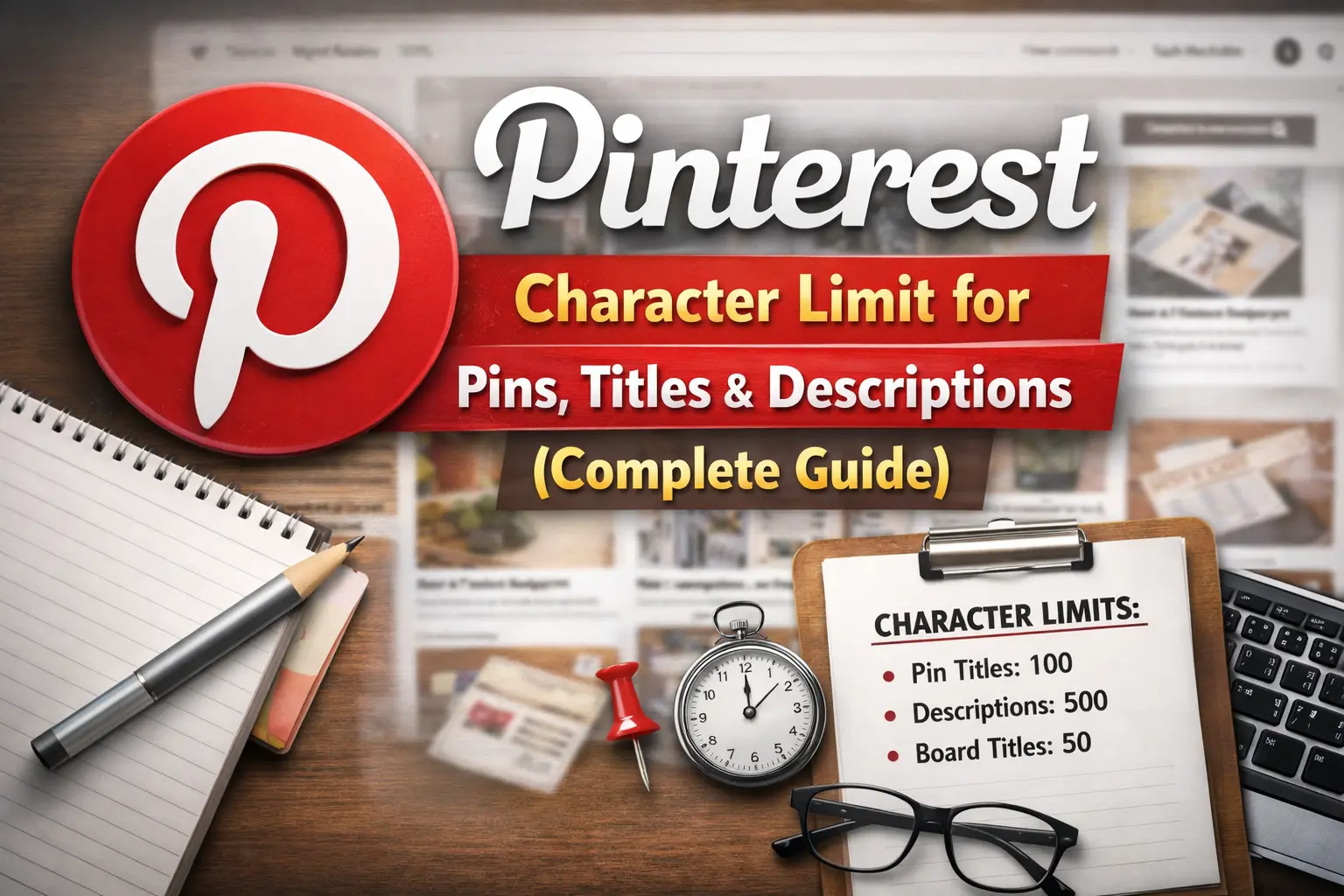
Below is a quick overview of the major Pinterest character limits.
| Pinterest Element | Character Limit |
|---|---|
| Pin Title | 100 characters |
| Pin Description | 500 characters |
| Board Name | 50 characters |
| Board Description | 500 characters |
| Profile Bio | 160 characters |
| Comment | 500 characters |
These limits help ensure consistency across the platform while encouraging users to write concise and meaningful content.
Pinterest Pin Title Character Limit
The pin title is one of the most important elements for Pinterest SEO. It tells users and the Pinterest algorithm what your content is about. A well written title increases the chances of your pin appearing in search results and attracting clicks.
Pinterest allows a maximum of 100 characters in the pin title. However, not all of these characters may appear in search previews or feeds, which is why writing a concise and keyword rich title is essential.
Maximum Character Limit
The official Pinterest pin title limit is 100 characters. This includes letters, numbers, spaces, and punctuation marks.
Even though you can use the full limit, it is usually better to keep the title shorter so that it remains readable on mobile devices.
Recommended Character Length
Experts recommend keeping pin titles between 40 and 60 characters. This length ensures that the title is visible in most feeds and search results without being cut off.
Shorter titles also improve readability and make it easier for users to quickly understand the content of your pin.
Why Pin Titles Are Important
Pin titles play a major role in Pinterest search optimization. Pinterest analyzes the words in your title to determine the topic of your pin and match it with relevant search queries.
Including your main keyword in the title helps Pinterest categorize your content correctly. This improves your chances of reaching the right audience.
Tips to Optimize Pin Titles
- Use your primary keyword near the beginning of the title.
- Write clear and descriptive titles that explain the content.
- Avoid keyword stuffing or repeating the same word too many times.
- Use numbers, action words, or power words to attract attention.
- Focus on readability and natural language rather than overly robotic phrases.
Example of Optimized Pinterest Titles
- Pinterest Marketing Tips for Beginners
- Easy Healthy Dinner Recipes for Busy Families
- Small Bedroom Decorating Ideas That Save Space
These examples are short, clear, and contain relevant keywords that help improve discoverability.
Pinterest Pin Description Character Limit
The pin description provides additional context about your content. It allows you to explain what your pin is about while adding more keywords that help Pinterest understand the topic.
Pinterest allows up to 500 characters for pin descriptions. This gives you enough space to write detailed information while still keeping the text concise.
Maximum Character Limit
The maximum description length on Pinterest is 500 characters. This includes spaces, punctuation, and hashtags.
While you can use the full limit, many successful creators prefer shorter descriptions that focus on clarity and keyword relevance.
Recommended Description Length
The ideal Pinterest description length is usually between 200 and 300 characters. This range provides enough space to include keywords, context, and a call to action without overwhelming the reader.
Descriptions that are too short may lack useful keywords, while extremely long descriptions may be ignored by users.
How Pinterest Uses Descriptions
Pinterest uses descriptions to better understand the content of your pin. The platform analyzes the keywords and phrases in your description to match your content with relevant searches.
Descriptions also help users decide whether they want to click on your pin. A clear and engaging description increases click through rates.
How to Write an SEO Friendly Pin Description
- Start with your main keyword so Pinterest can easily identify the topic.
- Write naturally and avoid stuffing too many keywords into the text.
- Use related keywords and phrases that people might search for.
- Explain what users will learn or discover when they click the pin.
- Add a simple call to action encouraging users to learn more or save the pin.
Example of a High Quality Pin Description
Discover practical Pinterest marketing tips for beginners that can help grow your traffic and increase engagement. Learn how to create better pins, write optimized descriptions, and reach the right audience.
Pinterest Board Name Character Limit
Pinterest boards help organize your pins into categories. Each board should represent a specific topic so users can easily find the content they are interested in.
The board name plays a key role in helping Pinterest understand what the board is about. It also helps users quickly identify whether the board contains the type of content they are searching for.
Maximum Character Limit
Pinterest allows up to 50 characters for board names. This limit encourages creators to keep their board titles short and clear.
Because the space is limited, it is important to choose words carefully and focus on the main topic of the board.
Best Practices for Board Names
- Use clear keywords that describe the board topic.
- Avoid unnecessary words that do not add meaning.
- Keep the name easy to read and easy to understand.
- Make sure the board title matches the type of pins you will add to the board.
Examples of Good Board Names
- Healthy Breakfast Recipes
- DIY Home Decoration Ideas
- Digital Marketing Tips
These examples are simple, keyword focused, and easy for users to understand.
Pinterest Board Description Character Limit
Board descriptions give you an opportunity to explain what kind of content users will find inside your board. They also provide additional keywords that help Pinterest categorize your board.
Pinterest allows up to 500 characters for board descriptions. This space can be used to add relevant keywords and explain the purpose of the board.
Maximum Character Limit
The board description limit on Pinterest is 500 characters. This includes spaces and punctuation marks.
Even though the full limit is available, shorter descriptions that clearly explain the board topic tend to perform better.
Recommended Description Length
Most optimized board descriptions are between 200 and 300 characters. This range allows you to include important keywords while keeping the text readable.
SEO Tips for Board Descriptions
- Describe the topic of the board clearly and naturally.
- Include important keywords related to the board niche.
- Avoid repeating the same keyword multiple times.
- Write in natural sentences rather than a list of keywords.
These practices help both users and Pinterest understand your content more effectively.
Pinterest Profile Bio Character Limit
Your Pinterest profile bio is a short introduction that tells visitors who you are and what type of content you share. It helps build trust and encourages people to follow your profile.
Pinterest allows a limited number of characters for bios, so every word should add value and clearly communicate your niche.
Maximum Character Limit
Pinterest bios can contain up to 160 characters. This includes spaces and punctuation.
Because the space is limited, it is important to focus on the most important information about your brand or expertise.
How to Write an Effective Pinterest Bio
Clearly explain your niche or area of expertise.
Include relevant keywords related to your content.
Highlight the value you provide to your audience.
Add a simple call to action encouraging users to follow you.
Example of a Pinterest Bio
Sharing simple digital marketing tips, blogging strategies, and Pinterest growth ideas to help creators increase traffic and online visibility.
Pinterest Comment Character Limit
Comments allow users to interact with pins by sharing opinions, asking questions, or adding feedback. Engagement through comments helps build community and encourages more interaction.
Pinterest allows up to 500 characters for each comment. This provides enough space for users to share meaningful responses.
Maximum Character Limit
The comment limit on Pinterest is 500 characters. This includes spaces and punctuation.
Most comments are much shorter than the limit because users usually prefer quick responses.
Best Practices for Pinterest Comments
- Write clear and helpful comments that add value.
- Ask questions to encourage conversation.
- Avoid spammy links or promotional messages.
- Stay respectful and relevant to the pin topic.
Meaningful comments can help strengthen relationships with followers and increase engagement.
Pinterest Hashtag Limit
Hashtags were once widely used on Pinterest to help categorize content. However, Pinterest has gradually shifted its focus toward keyword based search rather than hashtags.
Today hashtags are less important than they used to be, and many creators focus primarily on keywords in titles and descriptions.
Are Hashtags Still Important
Pinterest still recognizes hashtags, but they do not play as significant a role as keywords. The platform now relies more on natural language and topic relevance.
Because of this change, using a few relevant hashtags is acceptable but overusing them is not recommended.
Recommended Hashtag Usage
- Use only a small number of relevant hashtags.
- Focus more on descriptive keywords.
- Avoid placing dozens of hashtags in your description.
- Make sure hashtags are directly related to your pin topic.
Pinterest Text Overlay Guidelines
Text overlays on pin images help communicate the main message quickly. Many successful pins include short text on the image that explains what the content is about.
Although Pinterest does not impose a strict character limit for text overlays, readability is extremely important.
Best Practices for Text Overlays
- Keep the text short and easy to read.
- Use large and clear fonts.
- Avoid overcrowding the image with too many words.
- Make sure the text highlights the main benefit of the content.
Good text overlays improve engagement because users can instantly understand the value of the pin.
Pinterest SEO Tips for Better Reach
Optimizing your Pinterest content requires more than just following character limits. To achieve better visibility, you also need to apply strong SEO practices throughout your profile and pins.
Pinterest uses many signals to determine which pins appear in search results, including keywords, engagement, and relevance.
Conduct Keyword Research
Use Pinterest search suggestions to discover popular keywords. These suggestions reflect what users are actively searching for on the platform.
Use Keywords Naturally
Include keywords in pin titles, descriptions, board names, and profile bios. However, always write in natural language rather than stuffing keywords.
Create Consistent Content
Publishing pins regularly helps maintain activity on your profile and improves the chances of reaching a larger audience.
Use High Quality Images
Pinterest is a visual platform, so attractive images play a major role in performance. High quality visuals combined with optimized text create the best results.
Common Mistakes to Avoid
Many creators struggle to grow on Pinterest because they ignore simple optimization practices. Understanding common mistakes can help you avoid them and improve your strategy.
Writing Very Short Descriptions
Descriptions that contain only a few words often lack important keywords. This reduces the chances of your pins appearing in search results.
Keyword Stuffing
Adding the same keyword repeatedly makes the description look unnatural and may reduce readability.
Ignoring Pin Titles
Some users focus only on images and forget to optimize titles. This can limit search visibility.
Overusing Hashtags
Adding too many hashtags makes descriptions look spammy and less professional.
Pinterest Character Limit Cheat Sheet
Here is a quick reference summary of the most important Pinterest character limits.
| Element | Character Limit |
|---|---|
| Pin Title | 100 |
| Pin Description | 500 |
| Board Name | 50 |
| Board Description | 500 |
| Profile Bio | 160 |
| Comment | 500 |
This table provides a simple overview that can help creators quickly remember the limits while creating content.
Future Changes in Pinterest Character Limits
Social media platforms regularly update their features and guidelines. Pinterest may also adjust character limits in the future as the platform evolves.
Because of this, creators and marketers should stay informed about updates and best practices. Following official announcements and industry blogs can help you stay ahead of changes.
Adapting quickly to platform updates ensures that your content continues to perform well and reach the right audience.
Final Words
Understanding the Pinterest character limit for pins, titles, descriptions, boards, and profiles is essential for creating optimized content. These limits help maintain clarity on the platform while encouraging users to write concise and meaningful text.
By using the right number of characters and focusing on keyword optimization, you can significantly improve your chances of appearing in Pinterest search results. Clear titles, informative descriptions, and well organized boards all contribute to better visibility.
When combined with high quality images and consistent posting, these strategies can help creators, bloggers, and businesses grow their presence on Pinterest and drive more traffic to their content.
Frequently Asked Questions (FAQs)
What is the Pinterest pin title character limit
Pinterest allows up to 100 characters for pin titles. However, keeping titles between 40 and 60 characters is usually recommended for better readability.
What is the Pinterest description character limit
Pinterest pin descriptions can contain up to 500 characters including spaces and punctuation.
What is the Pinterest board name limit
Pinterest board names have a maximum limit of 50 characters.
What is the Pinterest bio character limit
Pinterest profile bios can contain up to 160 characters.
How long should a Pinterest description be
Most optimized Pinterest descriptions are between 200 and 300 characters because this range balances keyword usage and readability.
Are hashtags important on Pinterest
Hashtags are less important than they used to be. Pinterest now focuses more on keywords and natural language search.
Can Pinterest character limits change
Yes, Pinterest can update character limits in the future as the platform evolves and introduces new features.
Hi, I’m Emily Carter, a content specialist and the creator behind AdvancedCharacterCounter.com.
With over 5 years of experience in digital content and SEO writing, I help creators, bloggers, and marketers write clear, concise, and optimized content. I focus on simplifying character limits, improving readability, and making content more effective across platforms.
On this website, I share practical guides on character limits, writing techniques, and content optimization tools to help you create better content faster.
My goal is simple: help you write smarter within any character limit.
📌 Expertise:
- Character Count & Text Optimization
- SEO Writing & Content Strategy
- Social Media Content Limits
- Blogging & Copywriting
📩 For collaborations or queries, feel free to reach out through the Contact page.