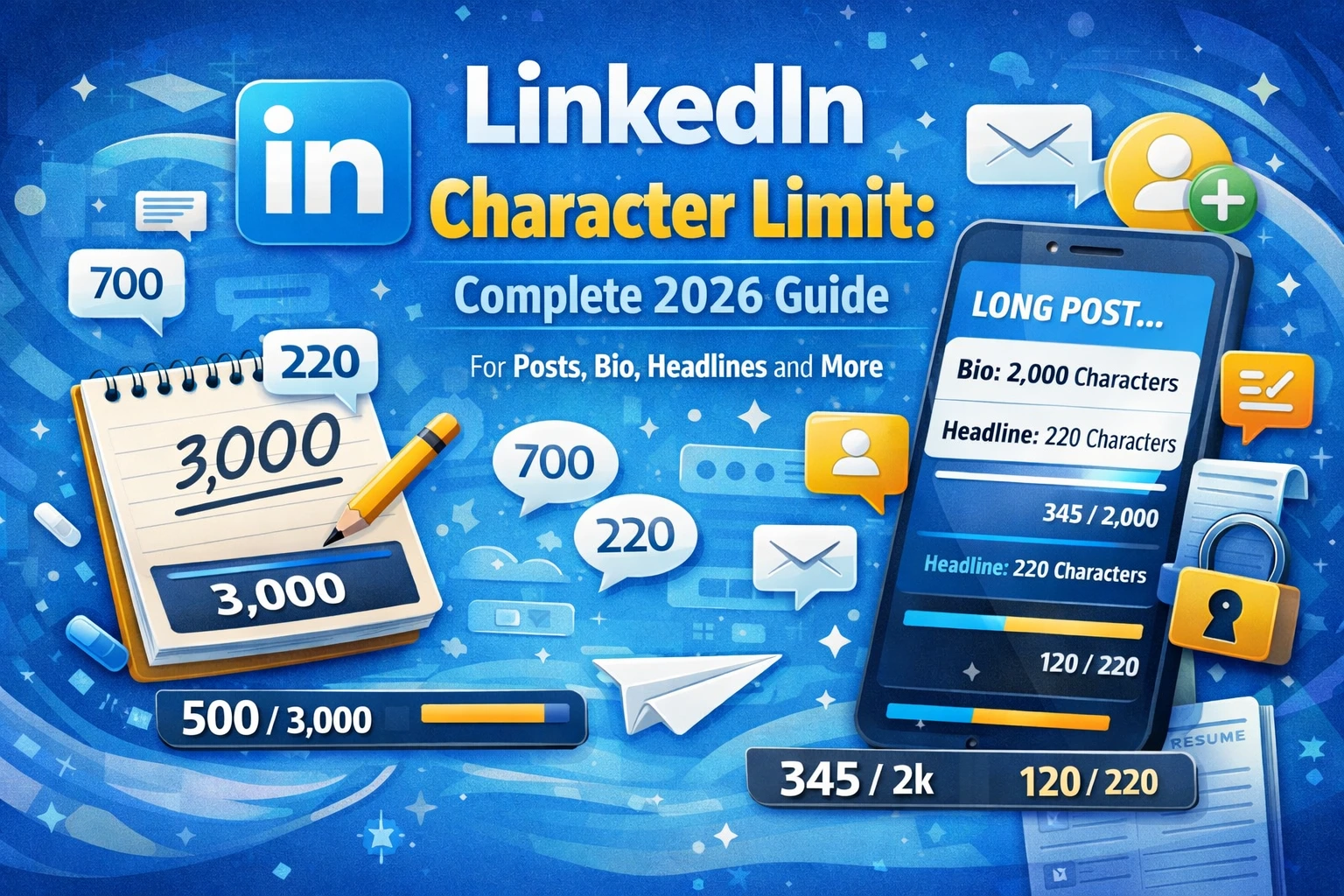
LinkedIn is the world’s largest professional networking platform, with more than one billion members across over 200 countries and territories. It is where careers are built, professional reputations are established, business deals are initiated, and industry knowledge is shared. Whether you are a job seeker polishing your profile, a thought leader publishing original content, a recruiter reaching out to candidates, or a brand running a B2B advertising campaign, LinkedIn is an indispensable tool in the modern professional landscape.
One of the most overlooked but critically important aspects of communicating effectively on LinkedIn is understanding its character limits. Every field on your LinkedIn profile, every post you publish, every message you send, and every ad you run has a defined maximum character count. Knowing these limits allows you to plan your content intentionally, avoid frustrating truncations, and ensure your message is delivered completely and compellingly to your intended audience.
This comprehensive 2026 guide covers the LinkedIn character limit for every major field on the platform, from your personal profile headline and summary to company page descriptions, post captions, connection request notes, InMail messages, and advertising copy. You will also find strategic writing tips, a complete quick reference table, and detailed answers to the most frequently asked questions about LinkedIn character limits.
Why LinkedIn Character Limits Matter for Professional Success
Unlike casual social platforms where content is fleeting and informal, LinkedIn content carries significant professional weight. Your profile is effectively your digital resume and personal brand statement. Your posts shape your reputation as a thought leader in your industry. Your messages represent your professional communication skills. Every piece of text you publish on LinkedIn reflects on you and your brand.
Character limits on LinkedIn are not arbitrary restrictions. They are design decisions that reflect how content is consumed on the platform. When a field has a defined limit, it signals how much text LinkedIn’s interface is designed to display comfortably. Exceeding a recommended display length means your content gets truncated with a “see more” link, which requires an extra click from the reader and risks losing their attention entirely.
Understanding and working strategically within LinkedIn’s character limits helps you write tighter headlines that get noticed in search, craft more compelling summaries that keep profile visitors engaged, and publish posts that drive meaningful professional conversations. It is a foundational skill for anyone who wants to use LinkedIn effectively in 2026.
LinkedIn Profile Headline Character Limit
The LinkedIn profile headline character limit is 220 characters. Your headline is one of the most important fields on your entire LinkedIn profile because it appears directly below your name in search results, on your profile page, in connection requests, in comments, and whenever your name appears anywhere on the platform. It is the single line of text that most people read first when they encounter your LinkedIn presence.
By default, LinkedIn populates your headline with your current job title and company name. However, the most effective LinkedIn users customize their headline to go far beyond a simple job title. A well-crafted headline communicates your professional identity, your unique value proposition, and the keywords that will help you appear in relevant LinkedIn searches.
Display Truncation in the Headline
While the technical character limit for headlines is 220 characters, LinkedIn truncates the displayed headline in search results and connection suggestions after approximately 70 characters on mobile and around 120 characters on desktop. This means the first 70 to 120 characters of your headline are the most critical for making an immediate impression. Write the most important and distinctive part of your professional identity within this visible window, and use the remaining characters for additional context and keywords.
Headline Writing Best Practices
- Start with your core professional identity or the role you are known for or aspiring to.
- Include keywords that recruiters, potential clients, and collaborators in your industry would search for.
- Use a separator like a vertical bar or bullet point to divide distinct pieces of information cleanly.
- Avoid generic phrases like “seeking new opportunities” or “results-driven professional” that add no real value.
- Consider including your specialization, industry, or target audience to make your headline more specific and searchable.
LinkedIn About Section Character Limit
The LinkedIn About section character limit is 2,600 characters. The About section, which was previously known as the Summary, is the primary narrative space on your LinkedIn profile. It is where you tell your professional story, elaborate on your experience and skills, communicate your values and approach to work, and make a case for why someone should connect with you, hire you, or work with you.
With 2,600 characters at your disposal, you have enough space to write a thorough and compelling professional narrative. However, LinkedIn displays only the first 300 characters of your About section before truncating the text with a “see more” link. This makes the opening three sentences of your About section extraordinarily important for capturing and holding the reader’s attention.
Structuring Your About Section
The most effective LinkedIn About sections follow a clear structure that moves from a compelling opening hook through a substantive middle section and ends with a clear call to action or invitation to connect. Consider organizing your 2,600 characters across the following elements.
- An opening hook that immediately communicates what makes you distinctive or what problem you solve.
- A brief overview of your professional background, including your area of expertise and the industries or roles you have worked in.
- Key achievements or results that demonstrate the value you bring to organizations or clients.
- Your professional philosophy, values, or approach to your work.
- A closing call to action that invites visitors to connect, reach out, or visit your website.
About Section Optimization Tips
Write in the first person to make your About section feel personal and authentic. Use short paragraphs and line breaks to improve readability, since long blocks of unbroken text are difficult to read on screen. Incorporate relevant industry keywords naturally throughout the text to improve your profile’s visibility in LinkedIn’s search algorithm. Avoid copying your resume verbatim; the About section should feel like a conversation, not a document.
LinkedIn Post Character Limit
The LinkedIn post character limit is 3,000 characters. LinkedIn posts appear in the feeds of your connections and followers and are one of the most powerful tools available on the platform for building your professional brand, sharing knowledge, and driving engagement within your network.
LinkedIn displays the first 140 characters of a post before truncating the text with a “see more” link on mobile, and approximately 210 characters before truncating on desktop. This means that your post’s opening line is your most important asset. It must be compelling enough to stop a reader mid-scroll and motivate them to tap “see more” to read the rest of your content.
Post Format and Readability
LinkedIn posts that perform well tend to use short, punchy sentences and generous line spacing. Unlike dense academic or corporate writing, high-performing LinkedIn posts are structured for fast consumption on mobile screens. Each paragraph is typically one to three sentences long, with clear visual breaks between paragraphs.
Hashtags in LinkedIn Posts
LinkedIn supports hashtags in posts, and each hashtag, including the # symbol and the word or phrase that follows it, counts toward your 3,000-character limit. LinkedIn recommends using between three and five relevant hashtags per post. More than five hashtags can begin to look spammy and may signal low-quality content to the algorithm. Choose hashtags that are specific to your topic and genuinely relevant to your target audience.
Post Length Strategy
Research on LinkedIn post performance suggests that posts of varying lengths can perform well, but the key is always the quality and relevance of the content. Short, insightful posts of 150 to 300 characters can go viral when they capture a timely or universally resonant idea. Longer posts of 1,500 to 3,000 characters perform well for in-depth professional insights, personal stories, and detailed how-to content. The right length depends on what you are saying and who you are saying it to.
LinkedIn Article Character Limit
LinkedIn Articles are a long-form publishing feature that allows users to write and publish professional content directly on the LinkedIn platform. The LinkedIn Article character limit is 125,000 characters, which is approximately equivalent to a 20,000 to 25,000-word document. This makes LinkedIn Articles one of the most expansive content formats available on any major social media platform.
Articles differ from standard posts in several important ways. They have a dedicated title field with a 150-character limit. They support rich text formatting, including headers, bold and italic text, bullet lists, and embedded images. They have their own permanent URLs and can be indexed by search engines, giving them a much longer lifespan and broader reach than standard feed posts.
Article Title Character Limit
The LinkedIn Article title character limit is 150 characters. Your article title should be clear, specific, and keyword-rich to maximize both discoverability within LinkedIn and visibility in external search engines. Treat your article title like a blog post headline: it should tell the reader exactly what they will learn or gain by reading your article.
When to Use Articles vs. Posts
Standard posts are ideal for sharing quick insights, industry news reactions, personal milestones, and short thought leadership pieces. Articles are better suited for comprehensive guides, detailed case studies, in-depth industry analyses, and content that you want to have a lasting presence beyond the ephemeral nature of the news feed. Articles build your credibility as a subject matter expert and serve as a portfolio of your professional thinking over time.
LinkedIn Comment Character Limit
The LinkedIn comment character limit is 1,250 characters. Comments are a vital part of the LinkedIn content ecosystem because they drive the engagement metrics that determine how widely a post is distributed by the algorithm. A thoughtful, substantive comment on a post can extend the conversation, add value for other readers, and significantly increase the visibility of both the original post and your own profile.
While the 1,250-character limit gives you substantial space for a meaningful response, the most impactful LinkedIn comments are typically focused and concise. A comment that adds a specific insight, asks a thoughtful question, or shares a relevant experience tends to generate more responses and engagement than a lengthy comment that tries to cover too many points at once.
Commenting Strategy for LinkedIn Growth
- Add genuine value rather than generic affirmations like “Great post” or “So true.”
- Share a specific example, data point, or personal experience that supports or adds nuance to the original post.
- Ask a thoughtful follow-up question that invites the original poster or other readers to continue the conversation.
- Tag relevant connections who would benefit from seeing the post or who have relevant expertise to contribute.
- Reply to comments on your own posts promptly to signal to the algorithm that your content is generating active discussion.
LinkedIn Connection Request Note Character Limit
The LinkedIn connection request note character limit is 300 characters. When you send a connection request to someone you do not know well, adding a personalized note is one of the most effective ways to increase the likelihood that your request will be accepted. A thoughtful, specific note demonstrates that you have done your research and have a genuine reason for wanting to connect.
With only 300 characters available, every word in your connection request note must count. There is no room for lengthy introductions or vague pleasantries. The most effective connection request notes are specific, relevant, and brief. They clearly explain who you are, why you are reaching out to this particular person, and what value the connection might offer to both parties.
Connection Request Note Templates
Here are three effective frameworks for structuring a compelling 300-character connection request note. The first framework is the Shared Context approach, where you reference a mutual connection, a shared group, or a piece of content the person published to establish immediate relevance. The second framework is the Specific Value approach, where you clearly state what you offer or what you are seeking and why this specific person is the right connection. The third framework is the Direct Appreciation approach, where you reference a specific piece of work, article, or insight from the person that genuinely impressed or helped you.
LinkedIn InMail Character Limit
LinkedIn InMail is a premium messaging feature that allows you to send messages to LinkedIn members who are not in your first-degree network. It is widely used by recruiters, sales professionals, and business development teams to reach potential candidates, clients, and partners. The LinkedIn InMail character limit is 1,900 characters for the message body, with a subject line limit of 200 characters.
InMail messages are more formal than standard LinkedIn messages and carry higher expectations for professionalism and relevance. Since the recipient does not know you personally, your InMail must quickly establish credibility, communicate a clear and compelling reason for reaching out, and provide enough value or specificity to warrant a response.
Writing Effective InMail Messages
- Keep your subject line under 50 characters if possible so it displays fully in the recipient’s inbox preview.
- Open your message body with a personalized reference that shows you have researched the recipient specifically.
- Clearly state your purpose within the first two sentences to respect the recipient’s time.
- Focus on what is relevant and valuable to the recipient rather than leading with your own needs.
- Close with a single, specific call to action such as a request for a 15-minute call or an invitation to review a specific resource.
- Keep the total message under 500 characters when possible, as shorter InMails consistently achieve higher response rates.
LinkedIn Message Character Limit
The LinkedIn message character limit for standard messages between first-degree connections is 8,000 characters. This generous limit makes LinkedIn Messaging a viable tool for substantive professional conversations, detailed project discussions, and thorough follow-up communication after networking events or meetings.
Unlike InMail, standard LinkedIn messages are sent to people already in your network, which means there is an existing level of familiarity and context. While the 8,000-character limit allows for very detailed messages, professional communication norms on LinkedIn still favor conciseness and clarity. Long messages should be reserved for situations where the detail is genuinely necessary, such as a proposal, a detailed briefing, or a comprehensive follow-up summary.
LinkedIn Experience Section Character Limit
The LinkedIn Experience section allows you to detail your professional work history. Each position in the Experience section has a description field with a character limit of 2,000 characters. This field is your opportunity to go beyond a simple list of responsibilities and demonstrate the actual impact and achievements of your work in each role.
The job title field in the Experience section is limited to 100 characters, and the company name field accommodates up to 100 characters as well. The description field is where you have the most space to differentiate yourself. Rather than describing what your role was, use the 2,000 characters to describe what you accomplished, the scale of what you worked on, and the measurable results your work produced.
Writing Impactful Experience Descriptions
- Lead each description with a one-sentence overview of your role and its primary purpose within the organization.
- Use specific numbers, percentages, and measurable outcomes wherever possible to quantify your impact.
- Include relevant keywords and technical skills naturally within your descriptions to improve your profile’s visibility in recruiter searches.
- Structure longer descriptions with short paragraphs or brief bullet-style sentences for easy scanning.
- Focus on achievements and results rather than listing duties and responsibilities.
LinkedIn Education Section Character Limit
The LinkedIn Education section has a description field with a character limit of 1,000 characters per entry. This field can be used to elaborate on your academic experience beyond the degree and institution name, including notable coursework, thesis topics, academic achievements, extracurricular involvement, and any research or projects that are relevant to your professional goals.
The school name field in the Education section supports up to 100 characters, the degree field supports up to 100 characters, and the field of study supports up to 100 characters. For recent graduates and early career professionals, the Education description field is particularly valuable for demonstrating relevant knowledge and experience when professional work history is still limited.
LinkedIn Skills Character Limit
LinkedIn allows you to list up to 50 skills on your profile. Each skill name can be up to 80 characters long. Your skills section is one of the most important fields on your profile for search visibility, because LinkedIn’s recruiter search tools allow hiring managers and talent acquisition professionals to filter candidates by specific skills.
The skills you list should reflect both your genuine competencies and the keywords that are most commonly searched in your industry and target roles. LinkedIn also displays your top three skills prominently on your profile above the full skills list, and connections and others can endorse your skills, which adds social proof to your claimed competencies. Regularly reviewing and updating your skills list ensures that your profile reflects your current capabilities and career focus.
LinkedIn Recommendation Character Limit
The LinkedIn recommendation character limit is 3,000 characters. Recommendations are written testimonials from colleagues, managers, clients, or collaborators that appear on your profile and provide powerful third-party validation of your professional capabilities and character. A well-written recommendation from a credible source is one of the most persuasive elements of a LinkedIn profile.
When requesting a recommendation, it is perfectly acceptable and actually helpful to provide the person writing it with some guidance on what you would like them to focus on. You can suggest specific skills, projects, or achievements that you would like highlighted, and you can share some context about the type of opportunities you are pursuing so the recommendation is as relevant and targeted as possible.
Writing Recommendations for Others
When writing a recommendation for someone else, aim to use the majority of the 3,000-character limit to provide genuine, specific detail. Generic recommendations that could apply to anyone carry little weight. The most impactful recommendations describe specific situations, challenges, and results, and explain in concrete terms why the person being recommended is exceptional at what they do.
LinkedIn Company Page Character Limits
LinkedIn Company Pages are essential tools for businesses and organizations to establish their presence on the platform, attract followers, share content, and recruit talent. Each field on a Company Page has its own character limit that affects how your organization is presented to the LinkedIn community.
Company Name
The LinkedIn Company Page name character limit is 100 characters. Your company name should match your official business name for brand consistency and trust. LinkedIn verifies that Company Page names represent legitimate businesses and may restrict names that are misleading or that do not reflect a real organization.
Company Tagline
The company tagline field has a character limit of 120 characters. This brief line appears below your company name on your Page and in search results, making it a critical piece of copy for communicating your brand’s core value proposition at a glance. Think of it as a one-line brand pitch that tells potential followers, customers, and recruits exactly what your company does and why it matters.
Company Description
The LinkedIn Company Page description character limit is 2,000 characters. This field is your primary opportunity to tell your company’s story, describe your products or services, articulate your mission and values, and communicate what makes your organization a distinctive place to work and do business. Like the personal About section, the first 156 characters of the company description are the most critical because they appear in search results and page previews before being truncated.
Company Specialties
LinkedIn allows you to list up to 20 specialties for your Company Page, each with a character limit of 25 characters. Specialties function similarly to skills on a personal profile and are an important tool for improving your company’s visibility in LinkedIn searches conducted by potential customers, partners, and recruits.
Summary of Company Page Character Limits
| LinkedIn Field | Character Limit |
| Company Name | 100 characters |
| Company Tagline | 120 characters |
| Company Description | 2,000 characters |
| Company Specialty (each) | 25 characters |
| Maximum Specialties | 20 specialties |
LinkedIn Ad Character Limits
LinkedIn advertising is one of the most powerful tools available for B2B marketing, professional recruitment, and brand building among professional audiences. LinkedIn Ads reach a highly targeted audience of decision-makers, professionals, and industry leaders. Like all advertising platforms, LinkedIn enforces strict character limits for each element of an ad, and exceeding these limits will prevent your ad from being published.
Sponsored Content (Single Image Ad)
Sponsored Content ads, which appear natively in the LinkedIn feed, have an introductory text limit of 150 characters for the recommended display length, though up to 600 characters are technically permitted. Text beyond the recommended length will be truncated in the feed with a “see more” prompt. The headline for a Sponsored Content ad is limited to 70 characters, and the description field supports up to 100 characters.
Message Ads (formerly Sponsored InMail)
Message Ads are delivered directly to LinkedIn members’ inboxes. The subject line has a character limit of 60 characters, and the message body supports up to 1,500 characters. The call to action button text is limited to 20 characters. Message Ads have high open rates because they appear as personal messages in the inbox, making compelling and relevant copy especially important.
Text Ads
LinkedIn Text Ads appear in the sidebar of the LinkedIn desktop interface. The headline for a Text Ad is limited to 25 characters, and the description is limited to 75 characters. These extremely tight limits require maximum precision and clarity in your copy. Every single word must contribute directly to the ad’s purpose.
Dynamic Ads
Dynamic Ads automatically personalize ad content by incorporating each viewer’s profile data such as their name, photo, and job title. The headline for a Dynamic Ad is limited to 50 characters, and the description is limited to 70 characters. The call to action text is limited to 18 characters.
Summary of LinkedIn Ad Character Limits
| LinkedIn Field | Character Limit |
| Sponsored Content Intro Text (Recommended) | 150 characters |
| Sponsored Content Intro Text (Maximum) | 600 characters |
| Sponsored Content Headline | 70 characters |
| Sponsored Content Description | 100 characters |
| Message Ad Subject Line | 60 characters |
| Message Ad Body | 1,500 characters |
| Message Ad CTA Button | 20 characters |
| Text Ad Headline | 25 characters |
| Text Ad Description | 75 characters |
| Dynamic Ad Headline | 50 characters |
| Dynamic Ad Description | 70 characters |
| Dynamic Ad CTA | 18 characters |
Quick Reference Table: All LinkedIn Character Limits (2026)
| LinkedIn Field | Character Limit |
| Profile Headline | 220 characters |
| About (Summary) Section | 2,600 characters |
| Post | 3,000 characters |
| Article Title | 150 characters |
| Article Body | 125,000 characters |
| Comment | 1,250 characters |
| Connection Request Note | 300 characters |
| InMail Subject Line | 200 characters |
| InMail Message Body | 1,900 characters |
| Standard Message | 8,000 characters |
| Experience Job Title | 100 characters |
| Experience Description | 2,000 characters |
| Education Description | 1,000 characters |
| Skill Name | 80 characters |
| Maximum Skills Listed | 50 skills |
| Recommendation | 3,000 characters |
| Company Name | 100 characters |
| Company Tagline | 120 characters |
| Company Description | 2,000 characters |
| Company Specialty (each) | 25 characters |
Tips for Writing Within LinkedIn Character Limits
1. Master the Opening Line
Whether you are writing a post, an About section, a company description, or an ad, the first line is always the most important. On LinkedIn, where most content is truncated before the full text is displayed, the opening line determines whether your audience clicks to read more or scrolls past. Write your opening line last, after you have written the rest of the content, so you know exactly what the most compelling summary of your message is.
2. Use the See More Threshold Strategically
LinkedIn’s see more threshold is not something to avoid. It is something to use strategically. Place a compelling hook, a provocative question, or an intriguing partial statement just before the truncation point to create curiosity that motivates readers to click and engage further. The click itself signals engagement to LinkedIn’s algorithm and increases the distribution of your content.
3. Write for Skimmability
LinkedIn users often read content on mobile while commuting, between meetings, or during brief breaks. Format your posts, About section, and experience descriptions for fast scanning. Use short sentences. Break long paragraphs into two or three sentence blocks. Use clear transitional phrases to guide the reader from one idea to the next. The easier your content is to skim, the more of it your readers will actually absorb.
4. Prioritize Keywords in Every Field
LinkedIn’s search algorithm indexes the text in your headline, About section, experience descriptions, skills, and company page fields. Incorporating the keywords that your target audience, recruiter, or customer would search for into these fields improves your profile’s visibility in relevant searches. Research the language used in job postings, client briefs, and industry publications to identify the terms most worth including.
5. Customize Connection and InMail Messages
Generic connection requests and cold InMail messages are the single most common mistake made by LinkedIn users. Within the tight 300-character connection note limit and the 1,900-character InMail limit, specificity is everything. Reference a specific article the person wrote, a shared group or event, a mutual connection, or a specific aspect of their background that is relevant to your reason for reaching out. Personalization dramatically increases acceptance and response rates.
6. Test Different Post Lengths
There is no single universally optimal LinkedIn post length. Short, punchy posts often generate high engagement from a broad audience. Longer, more detailed posts tend to attract more in-depth comments from a more engaged, specialized audience. Experiment with both formats and track your analytics to understand what resonates best with your specific network and target audience.
7. Keep Ad Copy Benefit-Focused
LinkedIn ad character limits, especially for Text Ads and Dynamic Ads, are extremely tight. There is no room for brand storytelling or elaborate context-setting. Every word in your ad must speak directly to a specific benefit, outcome, or value that is relevant to your target audience. Lead with the outcome your audience wants, not the features of your product or service.
How LinkedIn Character Limits Affect Your Visibility
LinkedIn’s search and content distribution algorithms are directly influenced by the text content of your profile and posts. Understanding how character limits intersect with LinkedIn’s algorithmic behavior can help you make smarter decisions about how to use the available space in each field.
Profile Search Visibility
LinkedIn’s recruiter and people search tools index the text content of your headline, About section, experience descriptions, and skills. Profiles that make strategic use of available character space to include relevant keywords in these fields rank higher in relevant search results. A headline that uses all 220 available characters to include multiple relevant keywords and specializations will outperform a headline that simply states a job title in terms of search visibility.
Content Distribution Algorithm
For posts and articles, LinkedIn’s algorithm evaluates multiple engagement signals to determine how widely content is distributed. Early engagement in the first 60 to 90 minutes after posting is particularly important. Posts that generate comments, especially substantive comments that include multiple sentences, receive significantly more distribution than posts that only generate likes or reactions. Writing posts that invite genuine conversation within the 3,000-character limit is one of the most effective strategies for organic reach on LinkedIn.
Company Page Discoverability
Company Pages that fully utilize their description, tagline, and specialties fields with relevant and specific keywords rank higher in LinkedIn’s company search results and are more likely to appear in the “People Also Viewed” and recommended company suggestions throughout the platform. Treating your Company Page copy with the same strategic attention you would give to SEO content significantly improves your organization’s visibility to potential followers, customers, and recruits.
Final Words
The LinkedIn character limit is not a barrier to effective professional communication. It is a guide. Every character limit on the platform reflects a deliberate design decision about how much content can be presented comfortably in a given context, and understanding these limits gives you the knowledge to work with the platform’s design rather than against it.
In 2026, LinkedIn continues to be the most powerful professional networking platform in the world. The members and organizations that achieve the greatest success on the platform are those who invest the time to craft every field of their profile and every piece of content they publish with intention, precision, and strategic awareness of how the platform works. That investment begins with something as fundamental as knowing how many characters you have to work with in each field.
Use the comprehensive quick reference table in this guide as an ongoing resource. Apply the writing tips to sharpen your profile, refine your posts, and improve the effectiveness of your outreach messages and advertising campaigns. Every character you write on LinkedIn is an opportunity to build your professional reputation, expand your network, and create real career and business value. Make every single character count.
Frequently Asked Questions (FAQs)
Q1. What is the LinkedIn character limit for posts?
The LinkedIn post character limit is 3,000 characters. This applies to standard feed posts published from personal profiles. LinkedIn displays the first 140 characters on mobile and approximately 210 characters on desktop before truncating the post with a “see more” link. Writing a compelling opening within this visible window is essential for driving engagement and encouraging readers to expand and read your full post.
Q2. How many characters can a LinkedIn headline have?
The LinkedIn profile headline character limit is 220 characters. However, LinkedIn truncates the displayed headline in search results after approximately 70 characters on mobile and 120 characters on desktop. The most important and distinctive part of your professional identity should appear within these first 70 to 120 characters, with the remaining space used for additional keywords and context.
Q3. What is the character limit for the LinkedIn About section?
The LinkedIn About section, formerly known as the Summary, has a character limit of 2,600 characters. LinkedIn displays only the first 300 characters before showing a “see more” link, so the opening sentences of your About section are particularly critical for capturing the reader’s attention and motivating them to read the full text.
Q4. What is the LinkedIn connection request note character limit?
The LinkedIn connection request note character limit is 300 characters. This tight limit requires a highly focused, specific, and personalized message. The most effective connection request notes clearly explain who you are, why you are reaching out to this particular person, and what value the connection might offer. Generic notes are far less likely to be accepted than specific, personalized ones.
Q5. What is the LinkedIn InMail character limit?
The LinkedIn InMail message body character limit is 1,900 characters, with a subject line limit of 200 characters. InMail is a premium feature used to reach people outside your first-degree network. Despite the generous character limit, shorter and more focused InMail messages consistently achieve higher response rates. Leading with a personalized reference and a clear purpose within the first few sentences is the most effective approach.
Q6. How long can a LinkedIn comment be?
The LinkedIn comment character limit is 1,250 characters. While this allows for detailed responses, the most impactful LinkedIn comments tend to be focused and concise. Adding a specific insight, asking a thoughtful question, or sharing a relevant personal experience in a comment contributes more to meaningful professional conversations than lengthy but unfocused responses.
Q7. What is the LinkedIn Article character limit?
The LinkedIn Article body has a character limit of 125,000 characters, making it one of the most expansive content formats on any major social media platform. LinkedIn Article titles are limited to 150 characters. Articles support rich text formatting and have permanent URLs that can be indexed by external search engines, giving them significantly greater longevity and reach than standard feed posts.
Q8. What are the character limits for LinkedIn ads?
LinkedIn ad character limits vary by format. Sponsored Content ads have a recommended introductory text limit of 150 characters (up to 600 allowed) and a headline limit of 70 characters. Message Ad subject lines are limited to 60 characters and message bodies to 1,500 characters. Text Ad headlines are limited to 25 characters and descriptions to 75 characters. Exceeding these limits will prevent the ad from being published through LinkedIn’s Campaign Manager.
Q9. What is the LinkedIn Company Page description character limit?
The LinkedIn Company Page description character limit is 2,000 characters. The first 156 characters of the description appear in search result previews and page summaries, making the opening of the description particularly important for communicating your company’s core value proposition. Company Pages also have a tagline field limited to 120 characters and a company name field limited to 100 characters.
Q10. How many skills can I list on LinkedIn and what is the character limit per skill?
LinkedIn allows you to list up to 50 skills on your profile. Each individual skill name can be up to 80 characters long. Your skills section is one of the most important fields for search visibility because LinkedIn’s recruiter and talent search tools allow filtering by specific skills. Listing skills that align with the keywords used in your target roles or industry significantly improves your chances of appearing in relevant talent searches.
Q11. What is the character limit for LinkedIn Experience descriptions?
Each position in the LinkedIn Experience section has a description field with a character limit of 2,000 characters. The job title field is limited to 100 characters and the company name field to 100 characters. Use the full 2,000 characters available for each position description to detail not just what your role involved but what you specifically achieved, the measurable impact of your work, and the key skills and technologies you applied.
Q12. Does LinkedIn count emojis toward the character limit?
Yes, LinkedIn counts emojis toward the character limit in all fields where emojis are supported, including posts, the About section, the headline, and company descriptions. Most standard emojis count as two characters each due to their Unicode encoding. While emojis can add visual appeal and personality to your LinkedIn content, be mindful of their character cost, particularly in tightly limited fields like the connection request note and ad headline fields.

Hi, I’m Emily Carter, a content specialist and the creator behind AdvancedCharacterCounter.com.
With over 5 years of experience in digital content and SEO writing, I help creators, bloggers, and marketers write clear, concise, and optimized content. I focus on simplifying character limits, improving readability, and making content more effective across platforms.
On this website, I share practical guides on character limits, writing techniques, and content optimization tools to help you create better content faster.
My goal is simple: help you write smarter within any character limit.
📌 Expertise:
- Character Count & Text Optimization
- SEO Writing & Content Strategy
- Social Media Content Limits
- Blogging & Copywriting
📩 For collaborations or queries, feel free to reach out through the Contact page.